On our last blog post, we talked about some of the different types of automations. On this blog, we’ll review the biggest automation tool that Account Engagement offers. Engagement Studio. Engagement Studio is a powerful tool that helps with lead nurturing.
Some other uses for Engagement Studio programs are: Event follow up, industry education, internal initiatives, re-engaging cold prospects, trial adoption, etc.
Engagement Studio Components
- Email Templates
- Lists
- Actions, Triggers, Rules, Stops
Step Types
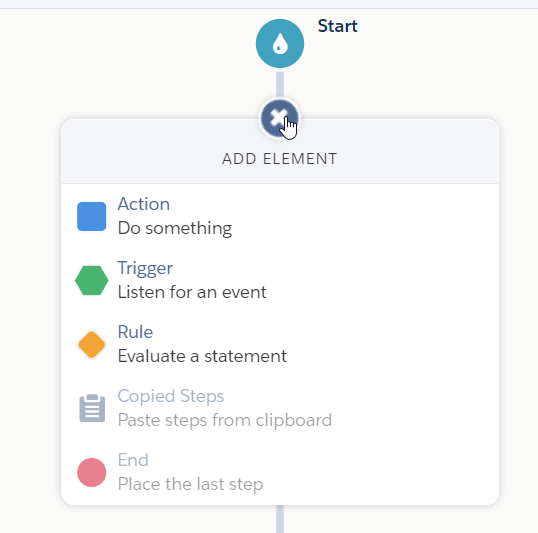
Action: Performs an action on a Prospect.
Trigger: Listens for a defined time for an event to occur.
Rule: Checks for specified criteria or values over the life of the prospect.
End: Designates the end of a path
Timing
Actions:
Immediately: Apply the specified action once the prospect arrives at that step
Wait: Apply the action once the specified time period has elapsed.
Rules:
Immediately: Evaluate the specified rule criteria once the prospect arrives at that step.
Wait: Evaluate the rule criteria once the specified time period has elapsed.
Triggers:
Wait: The program will hold the prospects on a specific trigger for a specific period of time.
Wait up to a maximum of: The program will listen for the specified activity or event to occur between the time the prospect entered the program and now.
How to Create a Program
- Go to Automations -> Engagement Studio
- Click on Add Engagement Program
- Enter a name, select a folder, select the recipients and supression lists, select business hours if needed, select time zone
- Save
- Within the build tab, click + to add Steps (Actions, Triggers, Rules)
- Save
 Salesforce World